A head of sales at a global SaaS company recently told me: “Our sales pitch is strong. But when the prospect hits the website, it doesn’t reflect what we just told them.”
That disconnect is more common than most teams realize. Your sales reps deliver a powerful story. But when those same prospects return to your website, the narrative often falls apart. The copy feels generic. The visuals don’t echo the use cases your reps highlighted. The proof points are buried.
And in enterprise sales, that gap costs deals. Because the truth is this: most buyers don’t decide right after a great call. They go back to your site to validate what they heard, explore use cases, watch demo videos, or read customer stories.
Your website becomes the second sales call.
This guide breaks down how to audit and align your website with your sales motion, so every digital touchpoint reinforces the confidence your reps build in person.
Key questions we’ll explore
- What practical steps can CMOs take to audit their website for sales alignment?
- Which common gaps or pitfalls cause misalignment between sales conversations and website messaging?
- How can organizations operationalize website–sales alignment to accelerate enterprise deal cycles and build buyer trust?
- How can enterprise marketing teams ensure their website reinforces, not contradicts, the sales narrative?
Why Website Sales Alignment Matters
When your sales story and website messaging are out of sync, several problems emerge:
1. Lost Momentum in the Buyer Journey
After a promising call, buyers often share your site internally. If it doesn’t reflect the clarity of the sales conversation, they start second-guessing. That creates friction and delays decision-making.
2. Erosion of Trust
Enterprise buyers look for consistency. Misalignment between what your reps say and what your website shows can feel like a bait-and-switch — even if unintentional. Consistency signals credibility.
3. Missed Opportunities to Accelerate Deals
A well-aligned site pre-empts common objections, showcases the right proof points, and reinforces differentiation — so sales cycles shorten instead of stall.
According to Gartner, 80% of the buyer’s journey now happens digitally before ever contacting sales. Your website isn’t supporting sales; it’s often leading it.
How to Audit Your Website for Sales Alignment
Let’s walk through three practical, repeatable steps that any enterprise marketing team can implement.
1. Mirror Your “Aha!” Sales Moment
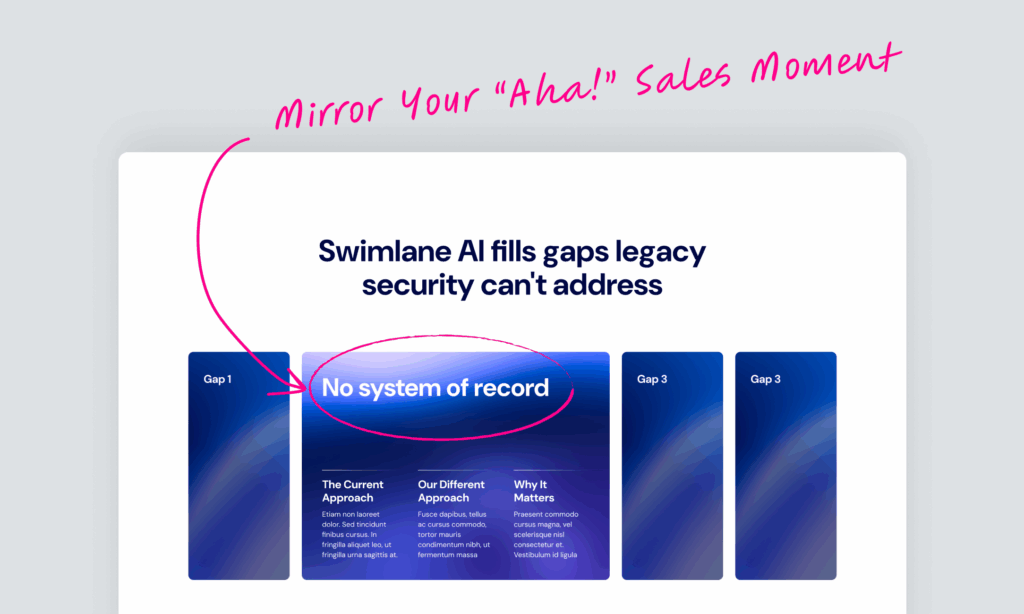
Every sales team has that one moment in the pitch, the insight that makes the prospect lean in and say, “Now I get it.”
Maybe it’s:
- A visual that reframes the problem
- A stat that quantifies the business risk
- A short demo that shows how easy a complex workflow becomes
If that moment isn’t front and center on your homepage or product page, your website is losing momentum before the second call begins.
Action:
Revisit recordings of your last 10 successful calls. Identify the exact line, slide, or feature that triggered that “Aha!” reaction. Then bring it to life in your hero section, explainer video, or animated product visual.
2. Proactively Address Objections
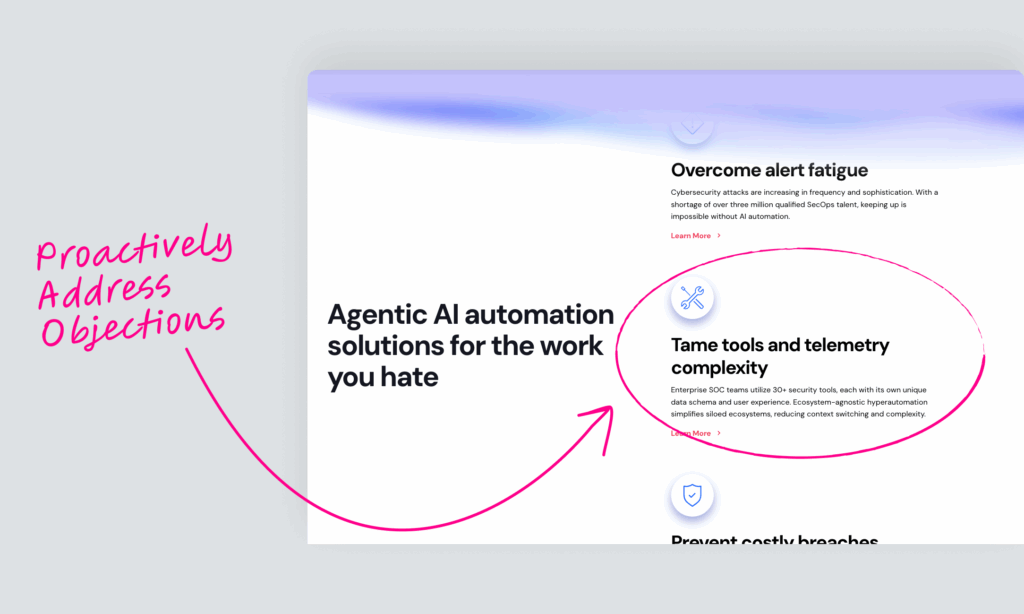
Every sales team knows the sticking points that slow deals down — pricing, integration complexity, compliance readiness.
If those concerns aren’t proactively addressed online, prospects are left to fill in the blanks. And in enterprise sales, uncertainty equals delay.
Action:
List the top three objections your reps hear most often. Then ensure your website answers them clearly through:
- FAQs or explainer pages: e.g., “How we integrate with your existing tech stack.”
- Comparison charts: side-by-side clarity beats “contact us” vagueness.
- Trust badges and certifications: security, compliance, and data-handling proof.
- Short videos or blog articles: humanize the explanation.
3. Answer What Really Matters
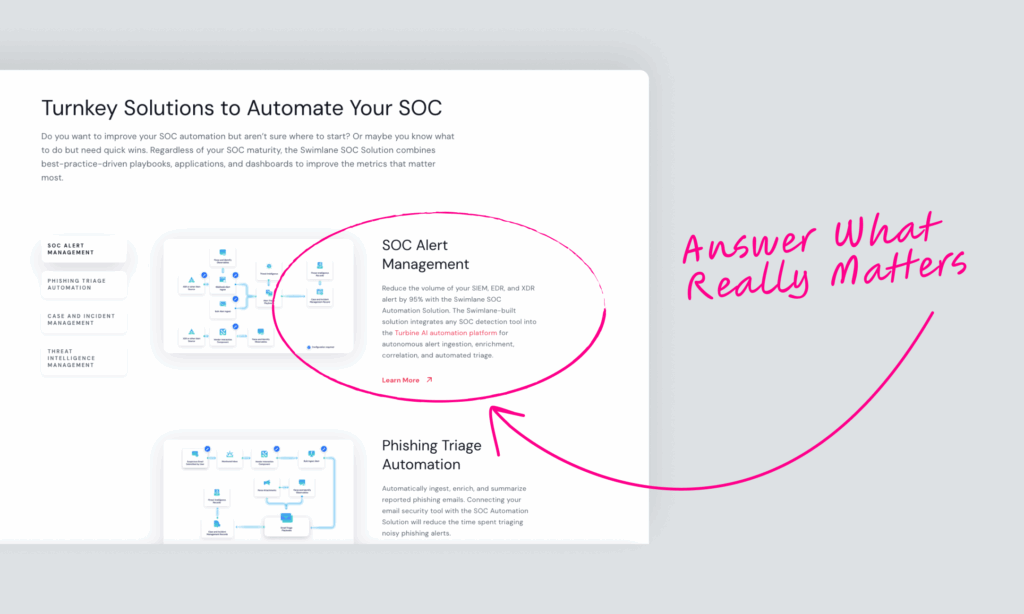
Your buyers don’t want another list of features. They want proof that your solution will work in their world.
That means your content should reflect the real questions decision-makers ask in late-stage evaluations:
- How will this integrate with our current stack?
- What results have similar companies achieved?
- How fast can we deploy across multiple regions?
Action:
Turn these questions into content assets — case studies, use-case breakdowns, and short demo clips. Structure pages by question, not by internal org chart.
Best Practices & Common Pitfalls
| Best Practice | Why It Works | Common Pitfall | Impact |
|---|---|---|---|
| Mirror your strongest sales narrative on key landing pages | Keeps message consistent across channels | Copy written by branding teams without sales input | Creates disjointed buyer experience |
| Integrate sales enablement data into web UX | Aligns content with what buyers actually ask | Relying on assumptions about buyer intent | Website feels abstract, not solution-driven |
| Embed proof (data, testimonials, ROI visuals) throughout pages | Reinforces credibility | Saving case studies for a gated PDF | Proof hidden, low trust |
| Involve reps in web reviews quarterly | Keeps content fresh and field-validated | Annual “big redesigns” with no sales feedback | Misalignment creeps back quickly |
| Build modular pages for use-case storytelling | Enables personalization at scale | Static, one-size-fits-all templates | Inflexible to evolving deal narratives |
How to Operationalize Website Sales Alignment
For large enterprises, alignment isn’t a one-time audit; it’s a repeatable process.
1. Create a Shared Sales–Marketing Feedback Loop
- Schedule quarterly alignment meetings between sales enablement and web content leads.
- Review objection trends, evolving pitch decks, and customer feedback.
- Feed real-world insights back into website copy updates.
2. Use Sales Enablement Data as Your Web Roadmap
Platforms like Gong, Chorus, or HubSpot call notes are gold mines. Analyze transcripts for:
- Repeated value drivers (“time savings,” “faster integration”)
- New decision-maker personas emerging in calls
- Patterns in objections and deal blockers
Turn these into content themes for product pages and blog posts.
3. Build Modular Web Components
Instead of rewriting pages for every update, build flexible content modules e.g., “Feature + Proof Point + CTA.” This allows marketing teams to adapt quickly as sales narratives evolve.