Why Your Next Website Update Should Start with a Component Strategy
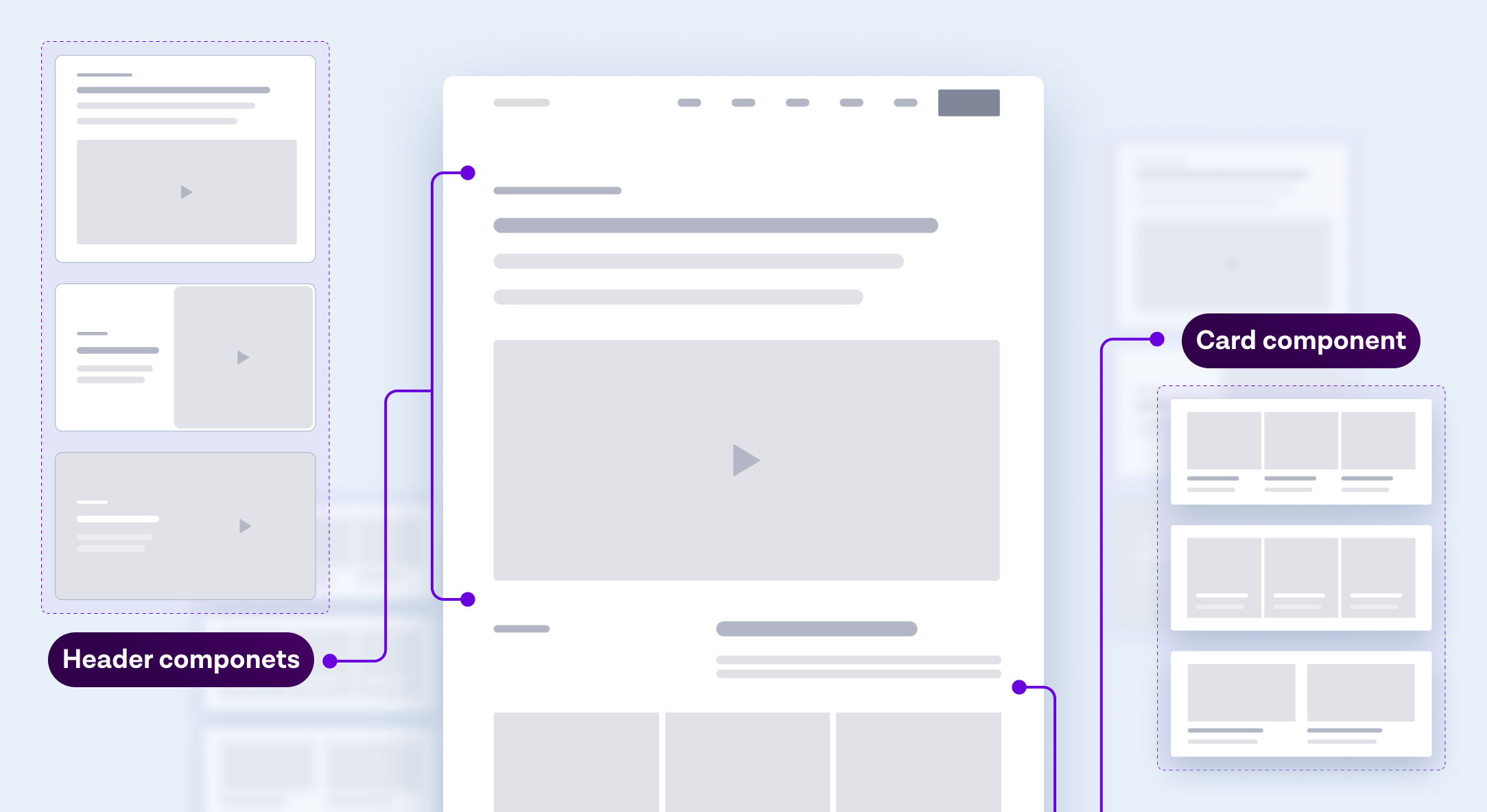
If your marketing team still waits on developers for every headline tweak or campaign landing page, your website is holding marketing impact back. Here’s how it usually happens.
Your team has a new product update or campaign ready to launch. Messaging is approved, creative assets are finalized, and paid media is queued up. All that’s left is getting it live on the site.
Then the bottlenecks begin. The design team needs to create a new layout because there’s no reusable page template. The developers are in the middle of another sprint. QA finds an alignment issue that breaks on mobile. A “quick update” turns into a two-week mini-project.
By the time it finally ships, the campaign has lost its momentum. Ads get paused. Deadlines are missed. Sales wonders why web traffic isn’t converting.
Sound familiar?
The root cause isn’t a lack of effort. It’s a lack of component strategy.
A component strategy defines how your digital experience is built—from reusable building blocks (components) instead of page-by-page templates. When implemented correctly, it’s the bridge between brand control and marketing agility.
This article walks through why enterprises are shifting toward component-based architectures, and what practical steps you can take to adopt a scalable, design-system-driven approach that accelerates launches, reduces tech debt, and empowers teams.
Key questions we’ll explore
- Why do enterprise websites slow down over time, and how can a component strategy fix it?
- What exactly is a component strategy, and how does it differ from a design system?
- How does implementing a component strategy improve team velocity and reduce tech debt?
- What are the key steps and best practices for building a successful enterprise component strategy?
The Real Bottleneck
When your site is handcrafted instead of component-driven, every new campaign becomes a bespoke build. That might sound manageable—until your marketing calendar fills up. Suddenly:
- Page updates multiply. Each one requires fresh design and development effort.
- Inconsistencies appear. Brand guidelines are interpreted differently by each designer or developer.
- Iteration slows down. Simple edits compete for sprint capacity.
The result is a tangled web of one-off pages that look and perform inconsistently. Every update takes longer. Every deployment carries risk.
We once worked with a global SaaS brand whose marketing team needed five days to launch a new webinar page. Not because of complex design—but because their CMS lacked modular components. After introducing a component library tied to their design system, the same task dropped to under two hours.
That’s the compounding impact of a component strategy: fewer dependencies, faster iteration, and higher brand integrity across every market.
Problem Definition: Why Enterprises Struggle Without a Component Strategy
1. The Scale Problem
Enterprise websites often span hundreds of pages, dozens of markets, and multiple business units. Each region or product team has its own priorities—and sometimes its own agency. Without a unifying component library, teams build in silos. The result? Fragmented experiences and mounting maintenance costs.
“Our website looked consistent only in the style guide,” one enterprise client told us. “In production, no two pages were ever built the same way.”
A component strategy solves this by creating reusable, branded modules—hero banners, feature grids, resource blocks, testimonial sliders—that can be assembled like Lego bricks. The framework remains consistent, while the content remains flexible.
2. The Velocity Problem
In high-growth environments, marketing needs to move faster than engineering. But legacy workflows—where each update touches code—become bottlenecks. This mismatch erodes competitiveness.
By contrast, a well-designed component library separates content from presentation. Marketing teams can launch and iterate without waiting for dev sprints, freeing developers to focus on optimization and innovation.
3. The Governance Problem
Global enterprises need brand consistency and compliance across every region. Yet traditional page-based systems make governance nearly impossible. Each microsite, each campaign page introduces subtle deviations that dilute brand equity.
With a component strategy, governance is built-in. Each module inherits pre-approved brand styling, spacing, and accessibility standards. Updates to one component propagate globally, ensuring cohesion without central micromanagement.
Without a component strategy, enterprises trade scalability for control—or control for agility. With one, they gain both.
From Design Systems to Component Strategy: The Framework for Scalable Growth
A component strategy is not just about code—it’s an operational model that aligns design, development, and marketing. Here’s how eight25 structures this transformation for enterprise clients:
Step 1 – Audit Your Existing Design System
Before building new, we start by mapping what already exists. Many enterprises have partial design systems living in Figma, Sketch, or scattered style guides.
We evaluate:
- Component overlap and gaps: Are hero banners, forms, and grids standardized or custom per page?
- Reusability potential: Which modules are used repeatedly and could be templatized?
- Technical dependencies: Are components hard-coded or CMS-driven?
This audit often reveals that 40–60% of components can be consolidated without new design work (Source). It’s the foundation of a maintainable ecosystem.
Step 2 – Establish a Unified Component Library
This is where strategy turns into structure. The component library acts as the “source of truth” for both design and development.
At eight25, we build libraries that connect directly to enterprise CMS platforms—whether that’s Contentful, Contentstack, or Sitecore—ensuring each component’s schema and styling are consistent across environments.
Each module includes:
- Design tokens (spacing, colors, typography)
- Interaction states (hover, focus, motion)
- Content fields tied to CMS entries
By centralizing this foundation, your teams can clone, update, and localize components without reinventing the wheel.
Step 3 – Implement a “Block-First” CMS Structure
This is where enterprises experience the first major velocity gain. Instead of building entire pages, editors assemble pages from reusable components.
Each “block” can be customized with unique content, images, or layouts—while still adhering to brand and UX standards.
For example, in a project for Swimlane, a cybersecurity automation company, this block-first structure cut their average page-launch time by 70%. It also made global translation workflows easier, since content was modular and could be swapped region-by-region without affecting layout.
Step 4 – Align Teams Through Documentation and Governance
A library without documentation quickly becomes another black box. That’s why we establish component governance models that cover:
- Version control: Tracking changes as components evolve.
- Ownership: Who approves updates? Design? Dev? Marketing?
- Usage guidelines: When to use a carousel vs. a grid, a banner vs. a card.
We’ve found that enterprises adopting a governance model early see 35% faster adoption rates across teams (Source).
Step 5 – Measure and Optimize
Finally, success requires measurable ROI. We encourage clients to track:
- Reduction in design/development hours per page.
- Time-to-market for new campaigns.
- Consistency scores across regional sites (based on automated audits).
Over time, these metrics form a component ROI timeline that helps justify further investment in design-system maturity.
Best Practices & Common Pitfalls
| Area | Best Practice | Common Pitfall | Business Impact |
|---|---|---|---|
| Design System Integration | Centralize all components in a shared Figma + CMS library | Letting teams design independently | Fragmented UI and wasted design effort |
| Developer Handoff | Use coded components tied to design tokens | Export static designs for every new page | Slows dev cycles; increases QA time |
| CMS Configuration | Model content types around components, not pages | Overly nested or rigid content models | Harder to scale across regions |
| Governance | Assign clear component owners | No approval workflow | Outdated components in production |
| Measurement | Track reuse rate and time saved | Focusing only on visual output | Missed ROI and efficiency insights |
Key takeaway: Treat your component strategy as a product, not a project. It evolves with your brand, your tech stack, and your markets.
Actionable Takeaways
Here’s how you can start moving toward a scalable component strategy today:
- Run a component audit. Identify your most frequently used page elements and map them against your design system.
- Align design and engineering early. Ensure design tokens and code libraries share the same source of truth.
- Model your CMS for modularity. Structure it around flexible, reusable blocks rather than page templates.
- Define ownership and versioning. Assign component stewards who maintain quality and standards.
- Track measurable gains. Monitor reuse rates, page-launch times, and reduction in engineering hours.
Over time, these steps create compounding operational efficiency—freeing your teams to focus on creativity and growth rather than maintenance.
At eight25, we’ve helped enterprise brands like Qlik and Swimlane rebuild their digital foundations from the inside out transforming rigid legacy systems into modular ecosystems that accelerate speed, consistency, and scalability.
If you’re planning your next website overhaul—or simply tired of waiting on sprint cycles for every marketing update—it’s time to rethink your foundation.